Assistance
OverRender OverText 2022 Assistance
 OverSuite Online
 OverRender.com Home
OverRender OverText 2022 Assistance
OverSuite Online > Assistance > OverText 2022 Assistance > Working with Add-Ons in OverText 2022
Add-Ons for OverText 2022 have been discontinued for security reasons. This discontinuation applies to all versions of OverText that include one or more of the following options:
- Addins Center
- Components Center
Any previously installed Add-On will continue to work with OverText, but no new (or old) ones will be offered for download anymore.
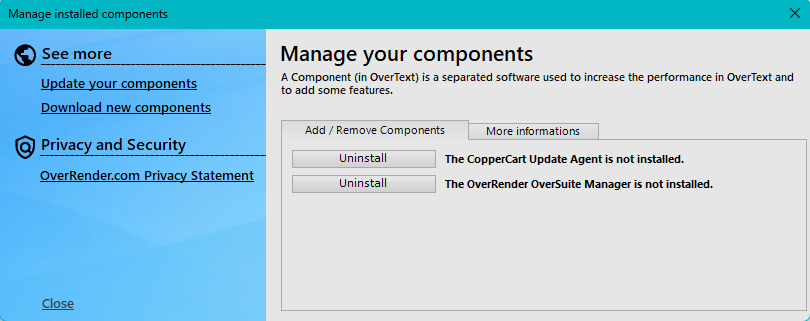
Versions released before Service Pack 3 still include the Addins Management tool. Launch it by following one of the above procedures: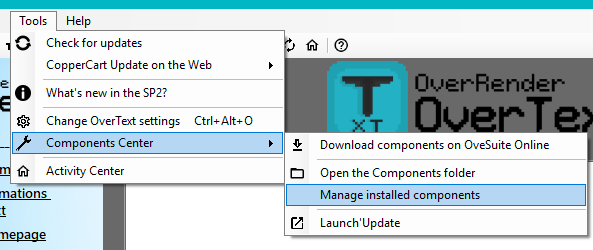
(Menus) Tools > Components Center > Manage installed components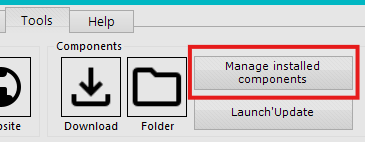
(Ribbon) Tools > Manage installed components